 BeadSheet
中文
BeadSheet
中文
Free Hama Bead Pattern Maker
Upload a photo and get a Hama Midi pattern in seconds. Every bead is matched to one of 92 Hama colours and labelled with its colour number, so the bead list reads like the labels on your tubs. Print it board by board on A4 or Letter. Your picture never leaves your device.
1 Choose a picture
Or try a sample:
2 Beads & size
3 Colors
Image adjustments
4 Preview
Choose a picture or a sample to see your pattern here.
Bead list (tap a color to highlight it)
| Sym | Color | Code | Beads |
|---|
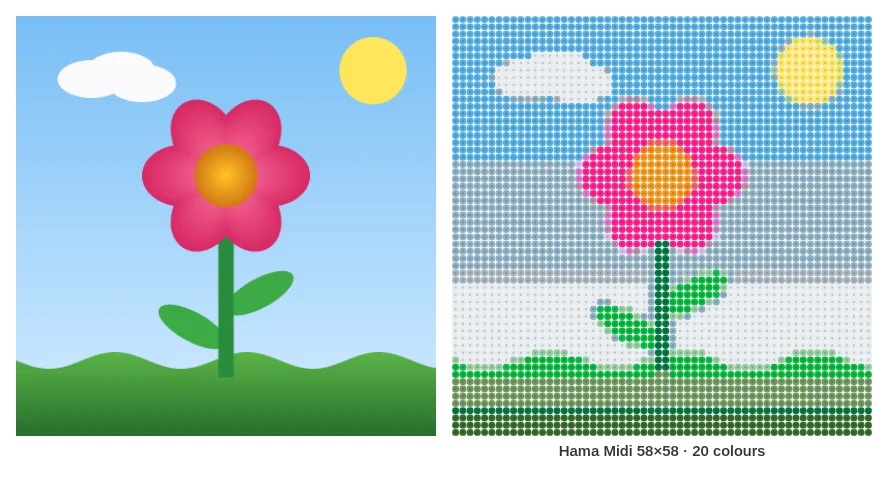
How to make a Hama bead pattern from a photo
- Choose your picture. Tap the upload area, drop a file in, or paste an image straight from your clipboard. JPG, PNG and WebP all work. Pets, simple portraits, logos and bold illustrations give the cleanest results.
- Keep "Hama Midi (5 mm)" selected. This page opens with the Hama palette already chosen. Leave the pegboard size at 29 pegs if you use the classic large square board.
- Pick how many boards. One board for a coaster, 2 × 2 for a pet portrait, 3 × 3 or more for wall art. Portrait and landscape layouts (1 × 2, 2 × 1, 2 × 3, 3 × 2) are in the same menu, and Custom size goes up to 200 × 200 beads.
- Tidy the colours. Lower "Max colors" until each area reads clearly, switch off translucent, glow and metallic beads if you want an opaque piece, and tick "Only use colors I own" once you have filled in My colors.
- Download and build. The PDF starts with an overview and the full shopping list, then gives one page per pegboard.
Hama Midi colour numbers in your pattern
Hama identifies each colour by a number: 01 is white, 18 is black, 05 is red, 08 is blue. On retail packs the colour number is usually the last part of the article number. In retailer listings, for example, the 1,000-bead bag of glow-in-the-dark green appears as 207-55. BeadSheet adds an "H" in front (H01 White, H18 Black) so Hama codes are never confused with Perler's P-codes or Artkal's S-codes when you switch brands.
The palette contains 92 Hama Midi colours, from the basics (01–12) through pastels (43–48, 95–98), neon and fluorescent shades (32, 34–42), and newer tones such as H101 Eucalyptus, H110 Matcha and H119 Sky Blue. The RGB values are community measurements of real beads from the open beadcolors dataset, not official Hama values, so treat the on-screen swatch as a close guide rather than a promise. Hama's range changes over time, so some numbers may be hard to find in shops.
Which Hama colours count as "specialty"?
The "Exclude translucent, glow & metallic beads" switch removes 17 Hama colours: the transparent and translucent shades (13–16, 19, 24, 25, 72–74), the three glow-in-the-dark beads (55–57), and gold, silver, bronze and pearl (61–64). Neon, fluorescent and pastel beads stay in, because they are opaque and fuse like standard colours. For a photo portrait, excluding specialty beads usually gives a cleaner result. For a night-sky design you may want the glow beads back in.
Midi, Mini or Maxi – which Hama beads is this for?
Hama makes three bead sizes, and each needs its own pegboard:
- Hama Mini: about 2.5 mm, recommended by Hama for ages 10+. Very detailed, very fiddly.
- Hama Midi: 5 mm, recommended for ages 5+. This is the "original" Hama bead and the one most patterns are made for.
- Hama Maxi: 10 mm, recommended for ages 3+. Big beads for small hands.
This maker uses the Midi colour range. Mini and Maxi come in different colour ranges, so a Midi colour number doesn't always exist in the other sizes. The grid itself works for any size, though: a 58 × 58 pattern is still 58 beads across. It just comes out at roughly half the size in Mini and double in Maxi.
Hama pegboards and finished sizes
Hama's large square Midi pegboard (item 234) has 841 pegs, 29 × 29, and interlocks with other boards of the same type. A clear version is also sold, which is handy if you like to slide the printed pattern underneath. With 5 mm beads, each board covers roughly 14.5 cm.
| Pattern | Boards | Approx. size | Beads (full grid) |
|---|---|---|---|
| 29 × 29 | 1 | 14.5 × 14.5 cm | 841 |
| 58 × 58 | 4 (2 × 2) | 29 × 29 cm | 3,364 |
| 87 × 87 | 9 (3 × 3) | 43.5 × 43.5 cm | 7,569 |
If you have a different board, type its peg count into "Pegboard size" and the PDF splits the pattern to match. Each board page shows the column and row numbers of the whole design every five beads, plus a small map with your board highlighted, so you always know where a page fits.
→ Jump straight to a preset: Hama 29x29 pattern maker · Hama 58x58 pattern maker
Ironing Hama beads
Hama's own instructions are short, and they work:
- Lay Hama ironing paper (or baking parchment) over the finished design.
- Use the cotton setting for Midi beads. Hama suggests wool for Mini and linen for Maxi. Steam off.
- Move the iron in smooth circles for a few seconds and keep it moving the whole time.
- Stop as soon as the bead colours show clearly through the paper. Don't let the iron touch the pegboard.
- Leave it to cool for a few minutes, lift it off the board, then press it under a book until completely cold.
Irons vary, so fuse a small test piece first, especially before a nine-board project.
Hama vs Perler: can you swap them?
Hama Midi and Perler beads are both in the 5 mm class and fit the same 29 × 29 square grid, so a pattern's layout transfers bead for bead. The colours don't. Hama 18 and Perler P18 are both black, but most other numbers don't line up, and the shades differ. Crafters also commonly report that Hama fuses at a slightly lower heat and ends up softer and shinier. Neither brand publishes a melting temperature, so iron a test patch if you mix them.
The safer route is to regenerate: switch "Bead brand" to Perler and the same photo is re-matched to Perler's own colours. If you buy mostly Perler, the Perler bead pattern maker on our homepage is the better starting point.
Tips for better Hama patterns
- Crop tight. At 29 × 29 a face is only a few beads wide. "Fill the grid" crops edges so the subject fills the board.
- Use fewer colours for small pieces. Around 8–12 colours on a single board keeps shapes readable and your bead tray manageable.
- Remove plain backgrounds. If your photo has a flat backdrop, "Remove plain background" leaves those pegs empty and saves beads. Transparent PNGs work the same way.
- Check the bead list before you shop. Buy roughly 10% extra of the colours you use most.
Frequently asked questions
Is this Hama bead pattern maker free?
Yes. There is no account, no watermark on the bead layout and no limit on downloads. Everything runs in your browser.
Does it support Hama Mini or Maxi colours?
Not yet. The palette is Hama Midi (5 mm). You can still use the grid with Mini or Maxi beads, but check each colour against your own beads, because the colour ranges differ.
Why do the codes start with "H"?
BeadSheet adds H so Hama numbers can't be confused with Perler or Artkal codes. H18 is simply Hama colour 18 (black).
Can I make a pattern using only the Hama colours I already have?
Yes. Open My colors, tick the Hama colours in your collection and switch on "Only use colors I own". Your selection is saved in this browser.
Can I print the pattern at real bead size?
Tick "Print beads at ~actual size (5 mm)" before downloading the PDF, then print at 100% (no "fit to page"). Each page states the scale, so you can check it with a ruler.
Is my photo uploaded?
No. The image is processed on your device and never sent to a server.